Drone mapping software comparison
Choosing the right drone mapping software can feel like a big decision. There are so many options out there, and they all seem to do slightly different things. Whether you’re just starting out or you’re a seasoned pro looking to upgrade, figuring out which tool will actually help you get the job done efficiently is key. This article breaks down what these programs do, how to compare them, and which ones stand out for different tasks. We looked at how well they handle tricky terrain, how accurate they are, and how easy they are to use in real-world situations. Let’s get into it.
Key Takeaways
- The best drone mapping software helps you plan automated flights to capture data for maps and 3D models, with features like terrain following being important for accuracy.
- When comparing software, look at how well it handles overlap between images, altitude accuracy over different ground levels, and if you can repeat missions with the same results.
- Top software options like Pix4D and DroneDeploy offer different strengths, from precise photogrammetry to user-friendly cloud features, while others like UgCS are better for complex jobs.
- Some software focuses on specialized tasks like autonomous flights, managing large fleets, or integrating with LiDAR sensors, so consider your specific needs.
- Selecting the right drone mapping software depends on factors like your budget, the types of projects you do, and what hardware you use, with free and paid options available.
Understanding Core Drone Mapping Software Functions
When you’re getting into drone mapping, it’s easy to get lost in all the different software options. But at their heart, most of these tools do a few key things to help you get good data. Think of it like this: the software is your mission control, telling the drone exactly where to go and what to capture.
Automated Flight Path Generation
This is probably the most important part. Instead of manually flying the drone for every single photo, the software lets you draw an area on a map that you want to survey. Then, it figures out the best way for the drone to fly over that area to get complete coverage. You can usually set things like how high the drone should fly and how fast it should go. The software then creates a flight plan, often a simple grid pattern, that the drone follows automatically. This makes sure you don’t miss any spots and that the data you collect is consistent.
- Define the survey area on a digital map.
- Set flight parameters like altitude and speed.
- Generate an automated flight path for complete coverage.
- Ensure consistent data capture across the entire mission.
Data Capture for Accurate Mapping
Once the flight path is set, the software also controls the drone’s camera or sensor. It tells the camera when to take pictures, making sure there’s enough overlap between each shot. This overlap is super important for later, when you use other software to stitch all the photos together into a map or 3D model. If the overlap isn’t right, the final map can have gaps or look distorted. The goal here is to capture high-quality images that have all the information needed to create a precise representation of the ground.
The quality of your final map or 3D model is directly tied to how well the drone captures the raw data. Consistent overlap and sharp, well-exposed images are the building blocks of accurate results.
Terrain Following Capabilities
Flying over flat ground is one thing, but what about hills, valleys, or even buildings? This is where terrain following comes in. Good mapping software can use digital elevation data (like a digital terrain model or DTM) to adjust the drone’s height as it flies. So, if the drone is flying over a hill, it will fly lower, and if it goes into a valley, it will fly higher. This keeps the drone at a more consistent distance from the ground, which is called maintaining a consistent Above Ground Level (AGL). This is really important for getting accurate measurements and details in your maps, especially when you’re working in areas with a lot of elevation changes.
| Feature | Importance for Mapping Accuracy |
|---|---|
| Consistent AGL | High |
| Overlap Accuracy | High |
| Sensor Angle Consistency | Medium |
| Flight Speed Stability | Medium |
Evaluating Key Performance Metrics in Drone Mapping
When you’re out there flying, it’s not just about getting the drone up in the air and taking pictures. What really matters is the quality of the data you collect and how reliably you can get it, mission after mission. Fancy software features are great, but if the drone can’t hold a steady altitude over bumpy ground or keep the camera pointed correctly, your final map or model is going to be a mess. We need to look at what actually impacts the final product.
Overlap Accuracy and Consistency
This is a big one. Overlap refers to how much the images from consecutive flight paths or passes of the drone overlap with each other. Think of it like tiling a floor – you need some overlap so there are no gaps and the tiles connect properly. For drone mapping, this overlap is what allows photogrammetry software to stitch all your photos together into a single, seamless image or 3D model. Too little overlap, and you get holes or distorted areas. Too much, and you’re just collecting redundant data, which takes longer to process.
- Frontlap: The overlap between images taken along the same flight line.
- Sidelap: The overlap between images from adjacent flight lines.
Consistent overlap is more important than hitting an exact percentage every single time, though good software aims for both. A slight variation is usually manageable, but large, unpredictable shifts mean trouble for processing.
Altitude Accuracy Over Varied Terrain
Flying at a consistent height above ground level (AGL) is super important, especially when you’re over hills, valleys, or buildings. If the drone flies at a fixed altitude above sea level, it will get much closer to the ground in higher areas and much farther away in lower areas. This inconsistency messes with the scale and detail of your photos. Software that can follow the terrain, using digital elevation models (DEMs) or digital surface models (DSMs), makes a huge difference. This allows the drone to maintain a more uniform distance from the surface it’s mapping, leading to much more accurate and detailed results. It’s a key feature for any serious mapping work, particularly in challenging terrain scenarios.
Mission Repeatability and Reliability
Can you fly the exact same mission tomorrow, next week, or next month and get the same quality data? That’s what mission repeatability is all about. This is vital for monitoring changes over time, like tracking construction progress or environmental changes. Reliability means the software and hardware work together without glitches or failures. This includes things like:
- Stable GPS and RTK/PPK connections for accurate positioning.
- Consistent battery performance and flight times.
- The software executing the flight plan as intended, even in less-than-ideal weather.
- Easy recovery from minor issues, like temporary signal loss.
Ultimately, the best drone mapping software is the tool that consistently delivers a high-quality, process-ready dataset every single time. Fancy features don’t matter if the software can’t maintain consistent AGL on steep terrain or hold a steady overlap in gusty winds. The goal is dependable data collection for reliable results.
Top Drone Mapping Software Solutions for Professionals
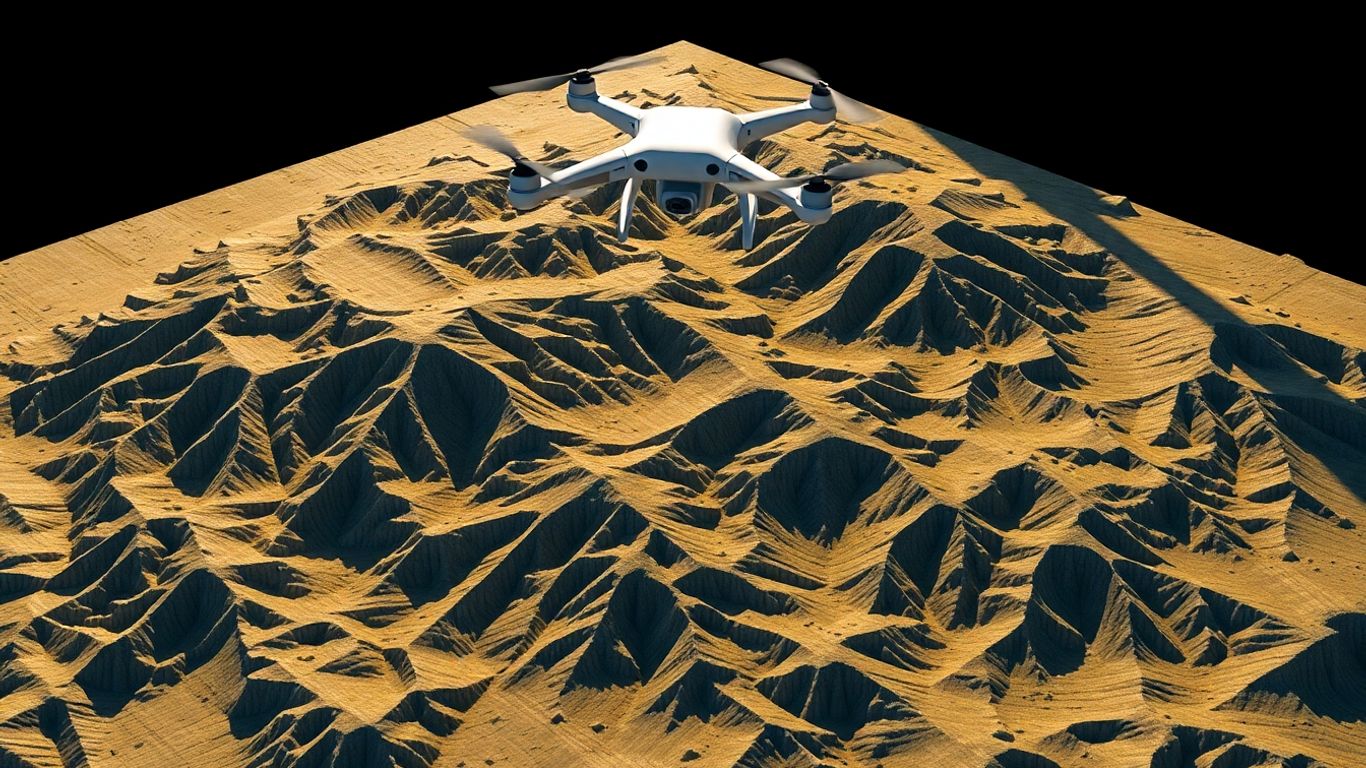
Choosing the right drone mapping software can really make or break your entire drone operation. It doesn’t matter if you’re managing a small fleet or tackling huge mapping projects across different industries; the platform you pick dictates how well you can process, analyze, and share all that drone data. That’s why we’re looking at some of the most popular platforms out there right now, covering both general mapping tools and more specialized enterprise options.
There’s no single ‘best’ software for everyone. Some are fantastic for mapping and creating 3D models, others focus on keeping your fleet compliant and organized, and some are built for fully autonomous flights. By comparing them, you can figure out which one fits your needs, whether you’re just capturing footage for inspection reports or running complex, automated missions.
Pix4D is a big name in the photogrammetry world, known for its serious accuracy. They offer a few different products, but Pix4DMapper is their core software for drone-based mapping. It takes your drone’s images and turns them into super-accurate 2D maps and 3D models, often with sub-centimeter precision. They even have specialized versions for things like construction (Pix4Dbim) and agriculture (Pix4Dag).
- Key Strengths: High-accuracy 2D maps and 3D models, advanced reconstruction technology, tailored solutions for specific industries.
- Platform: Desktop software with a mobile app for mission planning.
- Best For: Surveying, construction, agriculture, and research where precision is paramount.
Pix4D’s strength lies in its robust processing engine, which can handle large datasets and produce highly detailed outputs. This makes it a go-to for professionals who need reliable, georeferenced results for critical projects.
DroneDeploy is another major player, and they’ve made a name for themselves by being really easy to use, especially with their cloud-based platform. It’s great for teams because you can plan missions, fly, and then process and share your data all in one place. They focus on making the whole workflow smooth, from capturing data to analyzing it for things like elevation, plant health, or thermal imaging.
- Ease of Use: Intuitive interface, making it accessible for users with less technical experience.
- Collaboration: Cloud-based system allows for easy data sharing and team collaboration.
- Applications: Broad use across agriculture, construction, and energy sectors.
UgCS (Universal Ground Control Software) really shines when you have complex missions or need to work with specialized sensors like LiDAR. It’s known for its advanced planning tools, especially for corridor mapping and dealing with challenging terrain. If you’re doing a lot of linear surveys or need precise control over your flight path in difficult areas, UgCS is definitely worth a look. They also have specific tools that work well with LiDAR data.
- Specialized Planning: Excellent for corridor mapping and complex flight path design.
- Sensor Support: Strong capabilities for LiDAR missions and other advanced sensors.
- Terrain Handling: Known for its ability to manage flights over steep or varied terrain.
Ultimately, the best software for you will depend on your specific project needs, budget, and how you prefer to work.
Specialized Drone Mapping Software Applications
Beyond the everyday tasks of mapping and surveying, drone software has really branched out. It’s not just about taking pretty pictures anymore; it’s about making drones do some pretty advanced stuff. Think about missions that go way beyond the pilot’s line of sight, or managing a whole swarm of drones working together. That’s where these specialized applications come in.
Autonomous Operations and BVLOS Missions
Flying beyond visual line of sight (BVLOS) is a big deal. It opens up possibilities for long-distance inspections, large-area monitoring, and even emergency response where getting a pilot to the site quickly isn’t feasible. Software designed for this needs to handle a lot more than just flight planning. It’s about robust communication links, sophisticated navigation, and often, the ability to operate without constant human input. Think of it like giving the drone a brain of its own for specific, extended tasks.
- Remote Drone-in-a-Box Operations: These systems allow drones to launch, fly a mission, and land automatically from a docking station, often miles away. This is great for regular patrols or quick response.
- Automated Mission Execution: Software can manage complex flight paths, detect and avoid obstacles, and even make decisions based on sensor data without a pilot needing to intervene in real-time.
- Real-time Data Streaming: For critical applications, the ability to stream live video or sensor data back to a command center is vital for immediate decision-making.
BVLOS operations are still navigating a complex regulatory landscape in many regions. Software that helps manage compliance and provides detailed logs for authorities is becoming increasingly important for widespread adoption.
Fleet Management and Compliance Tools
As more organizations use multiple drones, managing them all becomes a challenge. Fleet management software acts like a central hub. It keeps track of where each drone is, its maintenance status, and who is flying it. Compliance is also a huge part of this. Regulations are always changing, and keeping all your drones and pilots up to date can be a headache. These tools help automate a lot of that paperwork and tracking.
- Centralized Flight Log Management: Automatically collects and stores flight data from all drones, simplifying record-keeping.
- Battery Health and Maintenance Tracking: Monitors battery cycles and performance, alerting you when maintenance is needed to prevent failures.
- Pilot and Certification Management: Keeps track of pilot licenses, training records, and certifications to ensure everyone is operating legally.
| Software Feature | Benefit |
|---|---|
| Automated Reporting | Reduces manual effort for FAA/regulatory docs |
| Geofencing | Prevents drones from flying into restricted areas |
| Real-time Fleet Status | Provides an overview of all active drones |
LiDAR and Specialized Sensor Integration
Not all mapping is done with standard cameras. LiDAR (Light Detection and Ranging) sensors, for example, create incredibly detailed 3D point clouds of the environment, which are perfect for things like forestry management, mining, or detailed infrastructure surveys. Other specialized sensors might detect thermal signatures or multispectral data for agriculture. The software needs to be able to handle the unique data formats and processing requirements of these advanced sensors. This integration is key for extracting maximum value from diverse data sources.
- LiDAR Point Cloud Processing: Software can clean, classify, and analyze massive LiDAR datasets to identify features like tree canopies, building heights, or ground elevation.
- Multi-Sensor Data Fusion: Combines data from different sensors (e.g., RGB camera and thermal) to provide a more complete picture of a site.
- Industry-Specific Workflows: Tools tailored for forestry, mining, or utilities can automate tasks like volume calculations or vegetation analysis directly from sensor data.
Choosing the Right Drone Mapping Software for Your Needs
Picking the right drone mapping software can feel like a big decision, and honestly, it is. It’s not just about picking the flashiest app; it’s about finding a tool that actually helps you get your job done accurately and efficiently. Think of it like choosing the right hammer for a specific nail – you wouldn’t use a sledgehammer for a tiny finishing nail, right? The same logic applies here. The software you choose needs to fit your specific projects, your team’s skill level, and, of course, your budget.
Factors Influencing Software Selection
When you’re looking at different software options, there are a few key things to keep in mind. It’s easy to get lost in all the features, but focusing on what truly matters for your work will save you a lot of headaches down the line. The most important factor is how reliably the software helps you capture data for accurate maps and models.
Here are some points to consider:
- Terrain and Obstacles: Are you flying over flat fields or rugged mountains? Some software is much better at handling complex terrain, automatically adjusting the drone’s height to avoid crashing into trees or buildings. If you’re working in hilly areas, this is a big deal.
- Drone and Sensor Compatibility: Does the software work with the drones you already own or plan to buy? What about specialized sensors like LiDAR? Make sure your chosen software plays nice with your hardware.
- Mission Complexity: Are you just doing simple grid flights, or do you need to plan complex routes for linear corridors or vertical structures? Some software is built for basic tasks, while others offer advanced planning tools.
- Team Collaboration: If you have a team, how easy is it for everyone to plan missions, share data, and access results? Cloud-based platforms often shine here.
Budget Considerations and Free Options
Let’s talk money. Drone mapping software prices can range from completely free to thousands of dollars a year. It really depends on what you need.
- Free/Open-Source: For hobbyists or those just starting out, options like WebODM can be a great way to learn and get decent results without spending a dime. They might require a bit more technical know-how, though.
- Mid-Range: Many professional tools fall into this category. They offer a good balance of features, ease of use, and price. You might pay a monthly or annual subscription.
- High-End/Enterprise: If you’re running a large operation, need advanced features, or require dedicated support, you’ll likely be looking at the higher end of the price spectrum. These often come with more robust features and support.
It’s worth noting that sometimes, a slightly more expensive software can save you money in the long run by reducing mission failures or improving data quality, meaning fewer revisits.
Platform Flexibility and Hardware Compatibility
Vendor lock-in is a real concern for many. You don’t want to be stuck with one drone manufacturer or one software ecosystem if better options come along. Look for software that supports a wide range of drones and flight controllers. This gives you the freedom to choose the best hardware for the job without being tied to a specific software provider. Some platforms are designed to be hardware-agnostic, meaning they work with many different brands, which can be a huge advantage as your needs evolve.
The goal is to find software that makes your life easier, not harder. It should streamline your workflow from mission planning to data processing, allowing you to focus on analyzing the results and making informed decisions. Don’t get swayed by every single feature; focus on the core functionality that directly impacts the quality and efficiency of your mapping projects.
Real-World Testing of Drone Mapping Software
Testing drone mapping software isn’t just about looking at a feature list on a website. Anyone can say their software is the best, right? But what happens when you’re actually out in the field, dealing with wind, hills, and maybe even a spotty GPS signal? That’s where the rubber meets the road, or in this case, where the drone meets the sky. We put some of the top contenders through their paces in scenarios that mimic what professional drone pilots deal with every single day. We wanted to see how they handled tough jobs, not just easy ones.
Testing in Challenging Terrain Scenarios
This was our first big test. We picked a spot with some serious elevation changes – over 130 meters from bottom to top. Add in a mix of trees that can mess with GPS signals and winds that were gusting between 4 and 6 meters per second, and you’ve got a recipe for trouble. The goal here was to see how well the software could keep the drone at a consistent height above the ground (AGL) as it flew over hills and through valleys. It’s one thing to plan a flight over flat ground, but quite another when the ground itself is constantly changing.
We looked at a few key things:
- Altitude Accuracy: How close did the drone stay to the planned height above the ground? We measured the difference in meters.
- Path Following: Did the drone stick to the planned flight path, or did it drift off course? We tracked deviations in meters.
- Overlap Consistency: Were the photos taken with the right amount of overlap, both front-to-back and side-to-side? This is super important for creating good maps.
The real test of any mapping software isn’t its theoretical capabilities, but its practical performance when faced with unpredictable environmental factors. Consistent altitude over varied terrain and reliable data capture are paramount for generating accurate and usable maps, regardless of the software’s marketing claims.
Evaluating Performance in Linear Corridors
Next up, we tackled a long, skinny route – about 9 kilometers of power lines. These kinds of missions are tricky because you’ve got tall towers that can block signals and valleys that can cause GPS signals to bounce around (multipath). This kind of environment really tests the software’s ability to plan multi-flight missions and how it handles unexpected issues, like losing a GPS lock for a moment.
We paid close attention to:
- Mission Planning for Linear Assets: How easy was it to set up a flight plan that covered the entire corridor effectively?
- Signal Interference Handling: Did the software or drone react appropriately when GPS signals were weak or lost?
- Repeatability: If we had to re-fly a section, how quickly and accurately could we get back on track?
Assessing Productivity in Industrial Settings
For our final real-world test, we headed to an open quarry. This wasn’t just about terrain; it was about the conditions. Lots of dust, heat shimmering off the ground – stuff that can mess with sensors and make flying difficult. We also had to map multiple stockpiles, which meant lots of battery changes and getting the drone back in the air quickly. This scenario was all about how productive the software and workflow could be.
Here’s what we measured:
- Mission Setup Time: How long did it take to get a mission ready to fly?
- Flight Time vs. Data Capture Time: How much of the total mission time was spent actually collecting data?
- Battery Swap Efficiency: How smoothly did the process of changing batteries and resuming the mission go?
- Failsafe Events: Did the drone trigger any safety protocols like returning to home due to lost connection or low battery? We counted these.
Ultimately, the software that performed best in these real-world tests was the one that consistently delivered accurate data with minimal fuss, even when things got tough.
So, Which Drone Mapping Software is Right for You?
Alright, so we’ve looked at a bunch of these drone mapping software options, and let me tell you, it’s not a simple ‘one size fits all’ situation. What works great for a construction site might be overkill for a small farm, and vice versa. We saw how some tools really shine when you’re dealing with tricky hills or long, winding power lines, while others are super easy to use right out of the box for basic mapping. Think about what you’ll be doing most often – are you focused on super-accurate maps for surveying, managing a big fleet, or maybe just getting started with photogrammetry? Your budget and how much time you have to learn new software also play a big part. Don’t just pick the fanciest name; really consider the specific jobs you need to get done. The best software is the one that helps you get reliable data, mission after mission, without a ton of headaches.
Frequently Asked Questions
What is drone mapping software used for?
Drone mapping software helps you plan where your drone should fly to take pictures for making maps or 3D models. It’s like giving your drone a precise route to follow so it captures all the necessary information without missing any spots. This information is then used to create detailed maps for things like building sites, farms, or land surveys.
How does drone mapping software help the drone fly over hills?
Some advanced software has a ‘terrain following’ feature. This means the software can read information about the land’s shape (like a digital map of the ground) and tell the drone to automatically go higher or lower. This keeps the drone at a consistent height above the ground, even when flying over bumpy or hilly areas, making the data collected more accurate.
What’s the difference between planning software and processing software?
Think of it like this: planning software is what you use *before* the flight to tell the drone exactly how and where to fly. Processing software is what you use *after* the flight to take all the pictures the drone took and turn them into a finished map or 3D model. They work together but do different jobs.
How much overlap do the drone’s pictures need?
For good maps, pictures usually need to overlap a lot. A common rule is that about 75-85% of one picture should overlap with the next one in the direction the drone is flying (frontlap), and about 65-75% overlap from side to side (sidelap). Good software helps you set this up correctly.
Can I use drone mapping software with any drone?
Not always. Some software works with many different drone brands and models, while others are made for specific types of drones. It’s important to check if the software you’re interested in supports the drone you have or plan to buy.
Are there free drone mapping software options?
Yes, there are free options! WebODM is one example that is open-source and can be used for free if you know how to set it up. While paid software often has more features and easier-to-use interfaces, free options can be great for learning or for simpler projects.